Camera registration
Deprecated
This documentation and the camera endpoints /c/info and /c/snapshot are deprecated in favor of the Prusa Camera Service.
The endpoints keep working for existing cameras, but new integrations should use the Camera Service API: https://camera-service.prusa3d.com/v1/camera-info and https://camera-service.prusa3d.com/v1/snapshot.
See the Prusa Camera API documentation.
Terminology
- Token is a randomly generated string with a length of twenty characters, containing a random combination of letters and numbers
- Fingerprint is unique identifier of the camera, it is generated by the camera itself
- Printer UUID is unique identifier of the printer
Registration process
Register camera by user
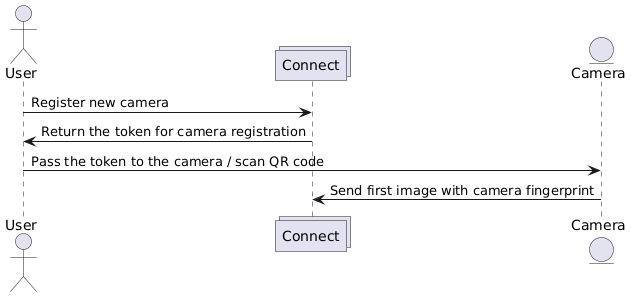
User can add a new camera in Connect. Connect will send a
POST /app/printers/<printer_uuid>/camera request, which will create
a new camera instance
Connect distinguishes two types of cameras:
-
WEB: user will receive and scan the QR code, which contains the token, using a camera on the device (e.g. mobile phone) and will be redirected to the web page, where he can use the camera
-
OTHER: user will receive a token itself, which will authenticate the communication between the camera and Connect in the user specific application
The camera will send its fingerprint together with the first image to Connect